AI
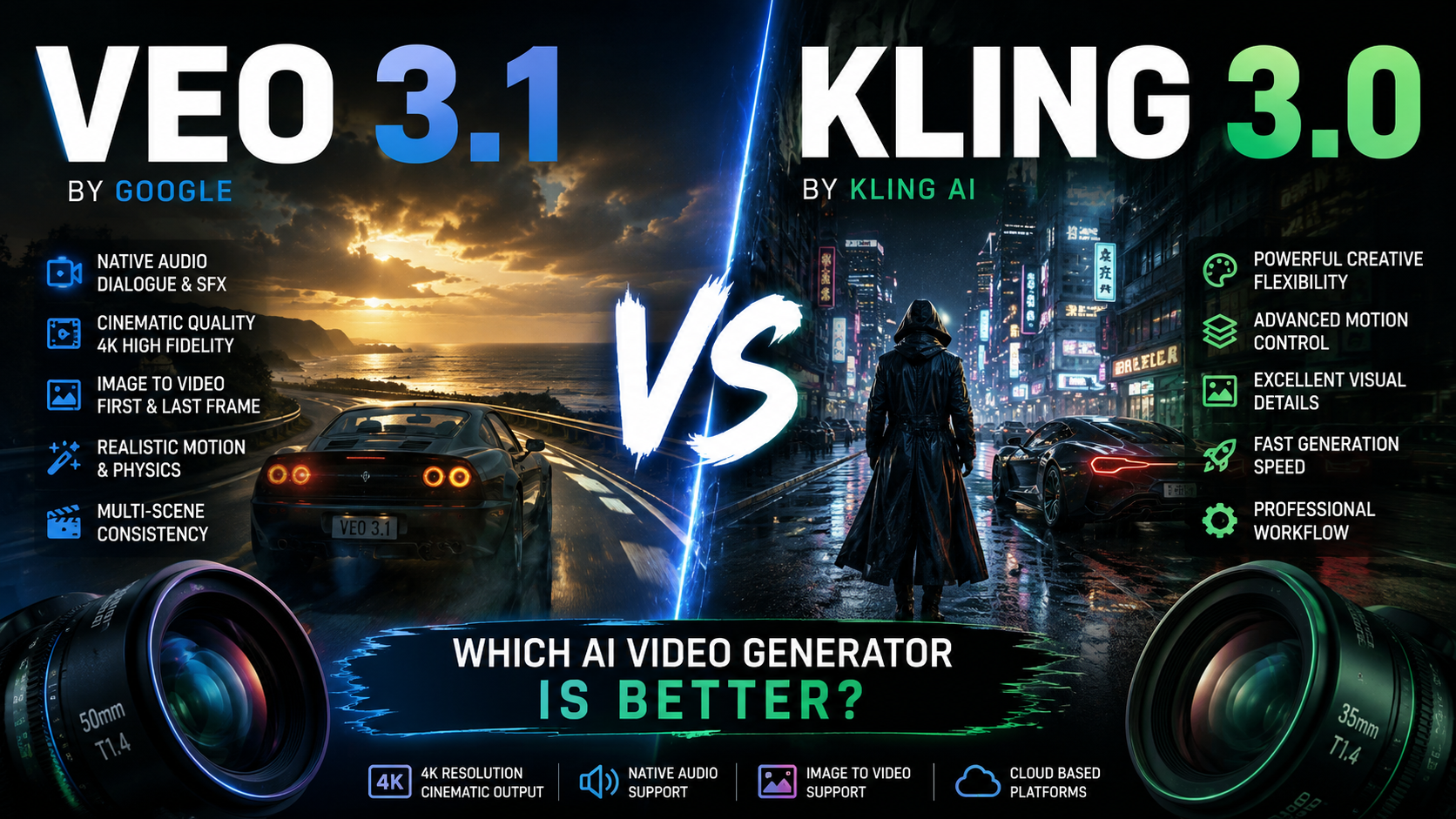
Veo 3.1 vs Kling 3.0: Which AI Video Generator Is Better?
A practical comparison for creators choosing between Google Veo 3.1 and Kling 3.0 for cinematic AI video, image-to-video, vertical content and production workflows.
· 9 min · Hangar Works
The short answer
There is no universal winner. Veo 3.1 is the stronger choice when you want a tightly specified Google-backed workflow, first/last-frame control, reference-image support and high-resolution output options. Kling 3.0 is attractive to creators who prioritize a creator-facing generation workflow and want another strong option for cinematic motion and image-to-video.
The important part is matching the model to the shot instead of choosing by hype.
Note: AI video products change quickly. This comparison focuses on practical creative workflow rather than pretending every feature is permanently fixed.
Veo 3.1 at a glance
Google documents Veo 3.1 as supporting text-to-video, image-to-video, first-and-last-frame generation, video extension and reference images. The documented Generate model supports 9:16 and 16:9 output, 4-, 6- or 8-second clips, 24 fps, and output resolutions up to 4K depending on the model/version and access surface.
That combination makes Veo especially useful when a creator already knows the exact shot they want: subject, action, camera, lighting, environment and ending frame can all be planned before generation.
Where Veo 3.1 is strongest
- Shot planning: prompts can be written like miniature cinematography briefs.
- Image-to-video: useful when the visual identity is established in a still image first.
- First and last frames: valuable for transitions and shots that need a planned destination.
- Vertical video: 9:16 support makes it suitable for Shorts, Reels and TikTok workflows.
- Reference-driven work: reference images can help when visual consistency matters.
- High-resolution pipeline: Google documents output options up to 4K for the main Generate model.
Kling 3.0 at a glance
Kling belongs in the same serious creator conversation because its strength is not simply generating a moving picture. It is used as a creator-oriented alternative for cinematic motion, image-to-video and visually ambitious short sequences.
Because Kling's product features and access tiers can change independently of the underlying model, creators should check the current Kling interface before making a purchasing decision based on a single feature or quota.
For production, the more useful question is: which model gives the better result for this specific shot with the fewest retries?
Veo 3.1 vs Kling 3.0: practical comparison
| Area | Veo 3.1 | Kling 3.0 |
|---|---|---|
| Cinematic prompt control | Excellent | Strong |
| Image-to-video | Excellent | Strong |
| First/last-frame workflow | Documented support | Check current Kling workflow |
| Reference images | Documented support | Check current Kling workflow |
| Vertical 9:16 | Documented support | Creator-oriented vertical workflows |
| Maximum quality | Up to 4K documented for Veo 3.1 Generate | Depends on current Kling plan/model surface |
| Best use | Planned cinematic shots and structured workflows | Creative experimentation and alternate motion generations |
This table deliberately avoids invented benchmark scores. A model that wins one prompt can lose badly on another.
1. Cinematic realism
Realism is more than sharpness. A convincing AI shot needs believable acceleration, body movement, object interaction, depth, shadows and camera behavior.
Veo responds well when the prompt separates these ideas clearly. Instead of asking for “an epic realistic scene,” specify the physical event and the camera independently.
For example:
A rescue worker runs across a rain-soaked steel platform at night. His boots splash through shallow water while strong wind pushes his jacket sideways. The camera tracks backward at chest height on a stabilized rig, maintaining a constant distance. Sodium-vapor industrial lights reflect across the wet floor. Realistic inertia, natural foot placement, physically believable rain and fabric movement.
That structure gives the model fewer ambiguous decisions to make. The same principle is worth using with Kling: describe what moves, how it moves, what the camera does and what must remain stable.
Winner for realism?
Call it shot-dependent, not a permanent victory for either model. For Hangar Works-style cinematic shorts, generate the same shot in both when the scene is important enough to justify it, then keep the better take.
2. Camera movement
Camera language is one of the easiest ways to improve an AI video prompt. Use real cinematography terms only when they communicate something useful:
- slow dolly-in
- lateral tracking shot
- handheld follow shot
- crane rise
- locked-off tripod
- low-angle push-in
- overhead top-down shot
- rack focus from foreground to subject
Do not stack five incompatible camera moves into an eight-second clip. One primary movement plus one subtle secondary behavior is usually enough.
Veo advantage: its structured prompting workflow makes this type of shot specification particularly natural.
Kling advantage: it is worth testing as a second interpretation when Veo's camera motion feels too controlled or the scene needs a different motion character.
3. Image-to-video
For branded characters, recurring environments and carefully art-directed scenes, image-to-video is often more useful than pure text-to-video.
The workflow is simple:
- Create or select the strongest possible starting image.
- Do not redescribe every visible detail.
- Prompt primarily for motion, camera behavior, physics and changes over time.
- State what should remain visually stable when necessary.
A useful image-to-video prompt looks like this:
The subject slowly turns toward camera and gives a restrained smile. A light breeze moves only the loose hair and jacket fabric. The camera makes a subtle 10% push-in. Preserve facial structure, clothing design, background architecture and time of day. Natural blinking, realistic breathing, no sudden body deformation.
Veo 3.1 officially documents image-to-video support and recommends sufficiently high-quality input images. Kling is also widely used as an image-to-video creative tool, so this is one category where testing both models on the same source image is particularly useful.
4. Shorts, Reels and TikTok
For vertical content, technical quality is only half the job. The opening second matters more than an elaborate establishing shot.
A practical 8-second structure is:
0–1.5 s: immediate visual hook
1.5–5.5 s: escalation or reveal
5.5–8 s: payoff, surprise or seamless loop point
Veo 3.1 officially supports 9:16. That makes it straightforward to design the shot vertically from the beginning instead of cropping a landscape generation later.
Regardless of model, keep the subject large enough for a phone screen and avoid putting the important action at the extreme edges.
5. Prompt adherence
Longer prompts are not automatically better. The best prompt is the shortest prompt that removes the important ambiguities.
A reliable structure is:
SUBJECT + ACTION + ENVIRONMENT + CAMERA + LIGHTING + PHYSICS/MOTION + VISUAL STYLE + CONSTRAINTS
Example:
A vintage rally car drifts around a wet mountain hairpin at dawn, throwing a controlled spray of water behind the rear tires. Low roadside tracking camera, slight telephoto compression, cold mist in the valley, warm sunrise catching the roofline, realistic tire grip and suspension movement, premium automotive commercial cinematography, no warped wheels, no changing vehicle design.
For a faster starting point, use the Hangar Works Veo Prompt Builder and then refine only the details that actually matter to the shot.
6. Character consistency
Neither model should be treated as a magic continuity machine. Consistency improves when you reduce the number of variables between shots.
For recurring characters:
- start from the same approved reference image when possible;
- keep hairstyle, wardrobe and distinctive features explicit;
- avoid changing lens, lighting, location and pose all at once;
- use image-to-video for hero shots where identity matters most;
- cut around difficult transitions rather than forcing one generation to do everything.
Veo's documented reference-image capabilities make it attractive for structured continuity workflows. But final consistency still depends heavily on source images and shot design.
7. Which one should you use?
Choose Veo 3.1 when…
You want a carefully planned cinematic shot, you benefit from first/last-frame or reference-image workflows, you need documented 9:16 support, or you prefer building prompts like a director's shot brief.
Choose Kling 3.0 when…
You want a strong alternative interpretation of a shot, you work heavily from images, or Kling's current creator interface and generation options fit your workflow better.
Use both when…
The shot matters more than loyalty to a model. For a hero scene, thumbnail moment, advertisement or viral short, generating two interpretations can be cheaper than spending an hour trying to force one model to behave exactly like the other.
The Hangar Works workflow
For most cinematic AI shorts, we recommend this model-agnostic process:
- Design the shot first. Decide what the viewer sees in the first frame and what changes by the last.
- Choose text-to-video or image-to-video. Use an image when identity or art direction matters.
- Write motion separately from appearance. This dramatically improves clarity.
- Specify one main camera move. Avoid camera-command soup.
- Generate short. Eight seconds is enough for one strong visual idea.
- Compare takes, not model logos. Keep the generation that sells the illusion.
- Edit externally. Sound design, pacing, captions and color finishing still matter.
Final verdict
Veo 3.1 is our pick for structured cinematic prompting and planned shot control. Kling 3.0 remains a valuable alternative for creators, especially as a second generation engine for image-driven and motion-heavy ideas.
Do not build your workflow around the claim that one model is always best. Build it around repeatable shot design. AI video models will keep changing; cinematography principles will not.
If you use Veo, start with our free Veo Prompt Builder to turn a rough idea into a more structured cinematic prompt.
Frequently asked questions
- Is Veo 3.1 better than Kling 3.0?
- Veo 3.1 is a strong choice for structured cinematic prompting and documented first/last-frame and reference-image workflows, while Kling 3.0 is a useful creator-focused alternative. The better model depends on the shot.
- Does Veo 3.1 support vertical 9:16 video?
- Yes. Google documents 9:16 and 16:9 aspect-ratio support for Veo 3.1.
- Can Veo 3.1 generate from an image?
- Yes. Google documents image-to-video, first-and-last-frame generation, video extension and reference-image support for Veo 3.1.
- Should creators use both Veo and Kling?
- For important shots, testing the same concept in both can be useful because model performance varies by scene, motion and source image.
Related stories

Best AI Chatbots in 2026: ChatGPT, Claude, Gemini and More Compared
Compare the best AI chatbots in 2026, including ChatGPT, Claude, Gemini, Perplexity and Microsoft Copilot, with strengths, weaknesses and ideal use cases.
9 min read
AI Just Stepped Into the Physical World: Inside Anthropic’s Model Hardware Standard
Anthropic’s Model Hardware Standard lets AI agents operate microscopes, robotic arms and lab equipment. Here’s how MHS could reshape physical AI and science.
8 min read
What Are AI Agents and How Do They Work? A 2026 Guide
AI agents can plan tasks, use tools and act on results. Learn how AI agents work, how they differ from chatbots, where MCP fits and what they can realistically do in 2026.
9 min